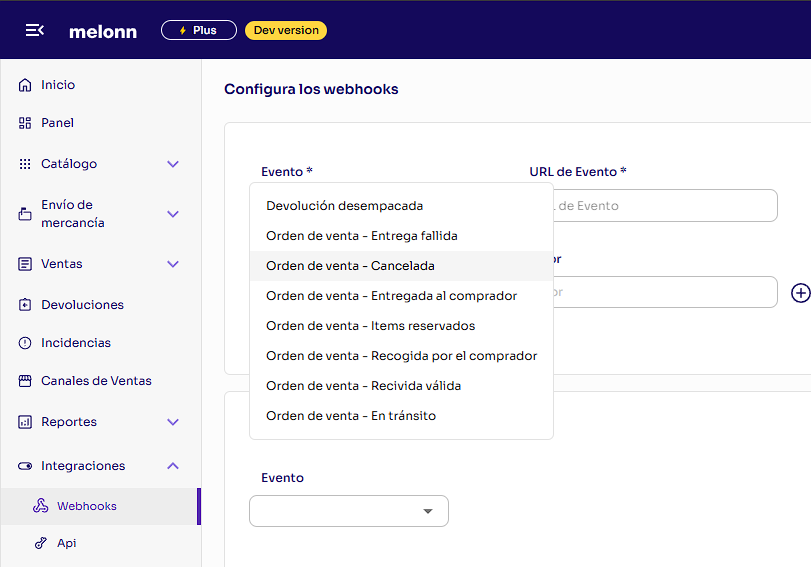
SELL_ORDER/RECEIVED_VALID | Orden de venta - Recibida válida | A sell order passes validation and is accepted for fulfillment |
SELL_ORDER/ITEMS_RESERVED | Orden de venta - Items reservados | All the items of a sell order have been reserved in the warehouse |
SELL_ORDER/PACKED | Orden de venta - Empacada | A sell order has been packed at the warehouse |
SELL_ORDER/SHIPPED | Orden de venta - En tránsito | A sell order leaves the warehouse with the carrier and is in transit |
SELL_ORDER/DELIVERED_TO_BUYER | Orden de venta - Entregada al comprador | A sell order is delivered to the buyer |
SELL_ORDER/PICKED_UP_BY_BUYER | Orden de venta - Recogida por el comprador | The buyer picks up a sell order at the pickup point |
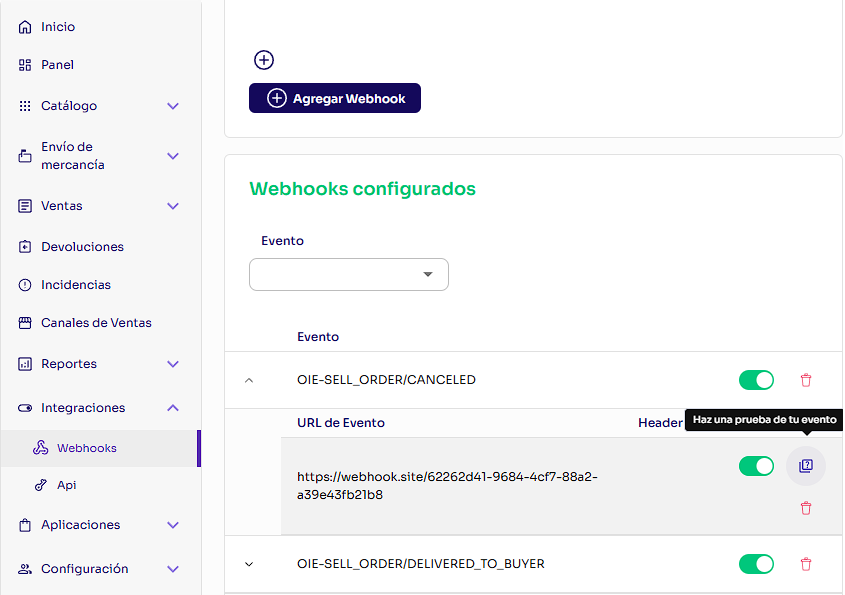
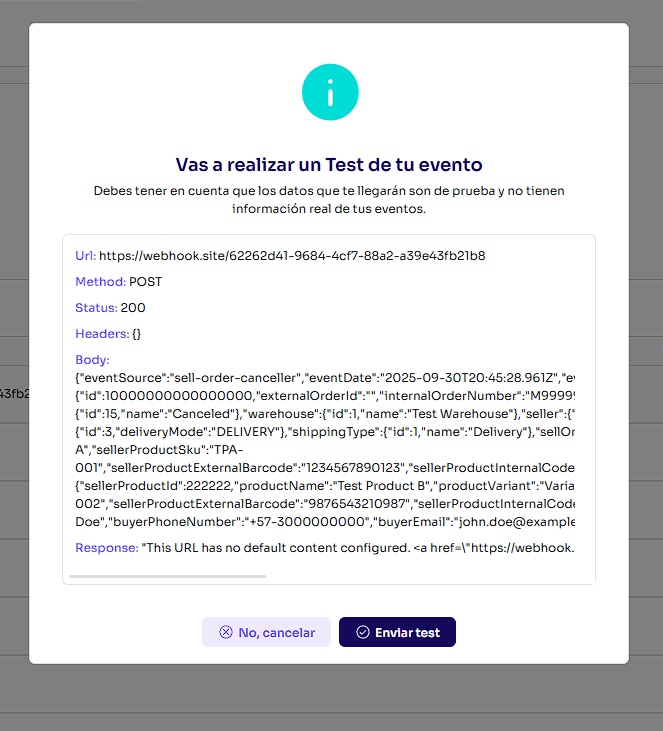
SELL_ORDER/CANCELED | Orden de venta - Cancelada | A sell order is canceled |
SELL_ORDER/ALL_PACKAGES_SHIPPED | Orden de venta - Despachada completa | Sent once per sell order, when the last of its packages leaves the warehouse |
SELL_ORDER/PICKING_STARTED | Orden de venta - Alistamiento iniciado | The warehouse starts picking the units of a sell order |
SELL_ORDER/PACKING_STARTED | Orden de venta - Empaque iniciado | The warehouse starts packing a B2B sell order. Picking and packing are separate steps: hours can pass between SELL_ORDER/PICKING_STARTED and this event |
SELL_ORDER/MISSING_ITEM_REPORTED | Sell order - Missing item reported | Units of a sell order are reported missing at the warehouse while it is being picked |
SELL_ORDER/MISSING_BIN_REPORTED | Sell order - Missing bin reported | A bin (a case pack of your product) needed for a sell order is reported missing from its location. Each event reports one bin |
SELL_ORDER_PICKING_GROUP/MISSING_ITEM_REPORTED_BY_SELLER | Picking group - Missing item reported, per seller | Units are reported missing while picking a picking group, a batch of orders that can belong to several sellers. You receive only your own items |
STOCK_MGMT/STOCK_CONTROL_POINT_EXECUTED | Stock control point - Executed | A stock control point (a check of the units at a location) is executed on your products, with the stock adjustments it made |
STOCK_MGMT/MISSING_ITEMS_BY_SELLER | Missing stock items, per seller | Units of your products are reported missing during a stock count or a putaway. You receive only your own items |
STOCK_MGMT/RECONCILED_ITEMS_BY_SELLER | Reconciled stock items, per seller | A stock count reconciles the quantities of your products. You receive only your own items. Units found in excess are not included in this event yet |
STOCK_MGMT/UNFULFILLABLE_REPORTED | Unfulfillable - Reported | Units of your products are reported as unfulfillable and set aside. Large reports arrive in several events: chunk.index of chunk.total, and unfulfillableReport.totalQty is the total of the whole report, repeated in every chunk |
STOCK_MGMT/UNFULFILLABLE_EXECUTED | Unfulfillable - Executed | Units reported as unfulfillable are transferred out of your available inventory. Large reports arrive in several events: chunk.index of chunk.total |
STOCK_MGMT/UNFULFILLABLE_RELEASED | Unfulfillable - Released | Units previously reported as unfulfillable are released. Large reports arrive in several events: chunk.index of chunk.total |
BUYER_RETURN_ORDER/CREATED | Devolución creada | A buyer return order is created |
BUYER_RETURN_ORDER/ITSR_LABEL_GENERATED | Devolución - Etiqueta de transporte generada | The transport label for a return managed by Melonn has been generated |
BUYER_RETURN_ORDER/RECEIVED_AT_WAREHOUSE | Devolución recibida en bodega | A buyer return order arrives at the warehouse |
BUYER_RETURN_ORDER/UNPACKED | Devolución desempacada | The items of a buyer return order have been unpacked at the warehouse |
BUYER_RETURN_ORDER/CANCELED | Devolución - Cancelada | A buyer return order is canceled |
SUPPLIER_ORDER/CREATED | Orden de ingreso creada | A supplier order is created |
SUPPLIER_ORDER/CANCELLED | Orden de ingreso cancelada | A supplier order is canceled |
SUPPLIER_ORDER/CLOSED | Orden de ingreso cerrada | A supplier order is finalized: all its packages were processed, or it was finalized with differences, either through Finalize supplier order or automatically |
SUPPLIER_ORDER_PACKAGE/UNPACKED | Supplier order package - Unpacked | A package of a supplier order has been unpacked at the warehouse |